The connector is only one part of the charging system. The light's internal charging circuit, supported input specifications, cable quality, and battery design all affect how it charges. Understanding these factors can help you avoid common charging problems and maintain your light's battery over time.
This guide explains how USB-C charging works in rechargeable bike lights, what to consider when choosing a cable, and how to protect the charging port and battery for long-term use.
Why Charging Speed Matters for Rechargeable Bike Lights
Charging speed affects how quickly a USB-C bike light can be ready for the next ride, especially when riders need to recharge it between daily commutes or before a planned night ride. A shorter charging time can make it easier to maintain a consistent riding schedule, while slow charging may require more planning.
A USB-C Port Does Not Mean the Same Charging Protocol
USB-C refers to the physical connector, not a specific charging speed or power-delivery capability. Different charging protocols determine how a charger and a device communicate and regulate power. Common examples include USB Battery Charging (BC 1.2), USB Power Delivery (USB PD), and Qualcomm Quick Charge (QC). They differ in how they identify compatible chargers, negotiate voltage and current, and deliver charging power.
For example, USB BC 1.2 defines charging behavior for USB ports, while USB PD lets compatible chargers and devices negotiate voltage and current for higher-power charging. Qualcomm Quick Charge also adjusts power delivery through communication between compatible devices. However, a USB-C port alone does not mean a bike light supports any of these fast-charging protocols.
The actual charging speed of a rechargeable bike light depends on its internal charging circuit and the input specifications it supports. A charger with a higher maximum wattage does not automatically make a light charge faster. For example, if a USB-C bike light is designed to accept only a standard 5V input, connecting it to a compatible 65W USB-C charger will not increase its charging speed beyond the limit of its internal charging system.
If fast charging is a priority, look for a USB-C bike light whose product specifications explicitly list support for USB Power Delivery or another fast-charging protocol. Also check the supported input voltage and current, and make sure your charger is compatible. A USB-C connector by itself is not enough to confirm fast-charging capability.
Cable's Quality and Power Compatibility
USB-C provides a common connector format, but cable quality and compatibility still matter. A damaged or poorly manufactured cable may create an unstable connection, interrupt charging, or fail to deliver the current required by the device.
For cyclists who regularly charge their lights at home, at work, or from a power bank during longer rides, choosing a reliable cable can help prevent unnecessary charging problems.
Choosing the Right USB-C Cable
A reliable USB-C cable helps ensure that your bike light is ready when you need it. For example, you might plug in your light after an evening ride and leave it charging overnight, only to find the battery level unchanged the next morning because the cable was not properly connected or the connection was interrupted.
To avoid this situation, consider a few practical details:
-
Choose a reliable cable: Use a cable from a reputable manufacturer that meets your bike light's charging requirements. A higher current rating is not necessarily better if the light is designed to draw only a modest amount of power.
-
Check the connection before leaving it to charge: Make sure the USB-C plug fits securely into the light's charging port. If the connection feels loose or charging stops when the cable moves, inspect the plug and port for damage or debris. Check the charging indicator after connecting the light to confirm that charging has started.
-
Carry a spare or compact cable: A short USB-C cable takes up little space in a saddle bag or backpack and can be useful when you need to recharge your light from a compatible power bank while away from home.
Cable reliability also matters when using a front light with a power bank function. During a long ride, you may need to connect a compatible bike computer or another device to the light for emergency power. In this situation, check that the cable supports the required power transfer and that both devices are compatible.
Remember that charging a bike light and using it to power another device are different operations. A cable that works for charging the light may not necessarily support every power-output function.
Charging Time and Battery Level Indicators
Most modern rechargeable bike lights provide some form of battery or charging indicator, although the information displayed varies by model.
Some bike lights use a simple indicator that changes color when charging is complete. Others display several LED segments to represent approximate remaining capacity. These indicators help riders decide when to recharge, particularly before longer rides or trips without convenient access to power.
Reading the Indicator Correctly
Always refer to the product manual to understand what each indicator means. A steady light may indicate charging, while a different color or flashing pattern may signal a low battery or completed charge. The exact meaning varies between products, so a blinking indicator should not automatically be treated as an error.
When the indicator shows a low battery level, recharge the light rather than repeatedly allowing it to shut down from complete discharge. Prolonged deep discharge can contribute to lithium battery deterioration and reduce its usable capacity over time.
A clear battery indicator is a useful feature when evaluating rechargeable bike lights, especially for riders who depend on their lights for regular commuting or extended nighttime rides.
Waterproof Covers and Charging Port Maintenance
A charging port is one of the areas that requires attention when maintaining a rechargeable bike light. Depending on the product's design, the USB-C port may have a protective cover or another sealing structure to help prevent moisture and debris from entering the housing.
However, water resistance depends on the overall enclosure design, seals, and construction rather than the protective cover alone. Even when a light is designed for wet-weather use, the charging port should be kept clean and dry.
Maintaining the Port and Cover
A few simple habits can help protect the charging interface:
-
Check the cover before riding: If your light has a charging-port cover, make sure it is properly closed and seated before heading out.
-
Keep the port dry: After riding in rain or through wet conditions, wipe the exterior dry before opening the port or connecting a charging cable.
-
Remove dirt carefully: Check for dust, mud, or debris around the connector. Use a clean, dry, soft brush or suitable cleaning tool rather than sharp objects that could damage the contacts.
-
Avoid charging when wet: Make sure the charging port and connector are completely dry before connecting a power source.
These precautions are particularly relevant when choosing waterproof bike lights. A water-resistance rating indicates how a product is designed to handle exposure to moisture, but it does not mean the charging port can be opened or connected to a cable while wet.
Riders should also check the manufacturer's stated IP rating and usage limitations. Different ratings offer different levels of protection, so a light suitable for splashes or rain should not automatically be assumed to be suitable for submersion or every extreme weather condition.
Battery Health and Safe Charging
The lithium battery inside a USB-C bike light is a rechargeable component that gradually loses capacity through use and aging. Over time, this may result in shorter runtimes and more frequent charging.
Although battery degradation cannot be avoided completely, appropriate charging and storage habits can help maintain battery performance.
Here are several practical ways to care for your bike light battery:
-
Avoid repeated deep discharge: Recharge the light before it remains at a critically low charge for an extended period. Lithium batteries generally benefit from avoiding frequent full discharge cycles.
-
Avoid extreme temperatures: Do not charge a light immediately after it has been exposed to intense heat or freezing conditions. Allow it to return to a suitable operating temperature and follow the manufacturer's charging recommendations.
-
Disconnect after charging: Once the battery is fully charged, unplug the light rather than leaving it connected unnecessarily for extended periods.
-
Use a compatible power source: Follow the recommended input specifications and avoid damaged chargers or cables that may cause unstable charging.
-
Store it properly: If you will not use the light for several weeks or months, avoid storing it with a completely depleted battery. Follow the manufacturer's storage recommendations and check the battery periodically.
Understanding Battery Aging
Battery capacity gradually declines as lithium cells undergo charge and discharge cycles. The rate of degradation depends on several factors, including operating temperature, charging habits, discharge depth, and the battery management system.
There is no single cycle count that applies to every bicycle light battery. Instead of relying on a fixed number of charging cycles, pay attention to practical signs of aging, such as noticeably reduced runtime, inconsistent battery indicators, or unusual charging behavior.
For riders who use their lights frequently, maintaining a consistent charging routine and avoiding prolonged exposure to extreme temperatures can help preserve usable battery capacity.
Good battery care is particularly important for rechargeable bike lights because their usefulness depends not only on maximum brightness but also on how reliably they can deliver power throughout a ride.
Best USB-C Rechargeable Bike Light: RAVEMEN FR1000
The
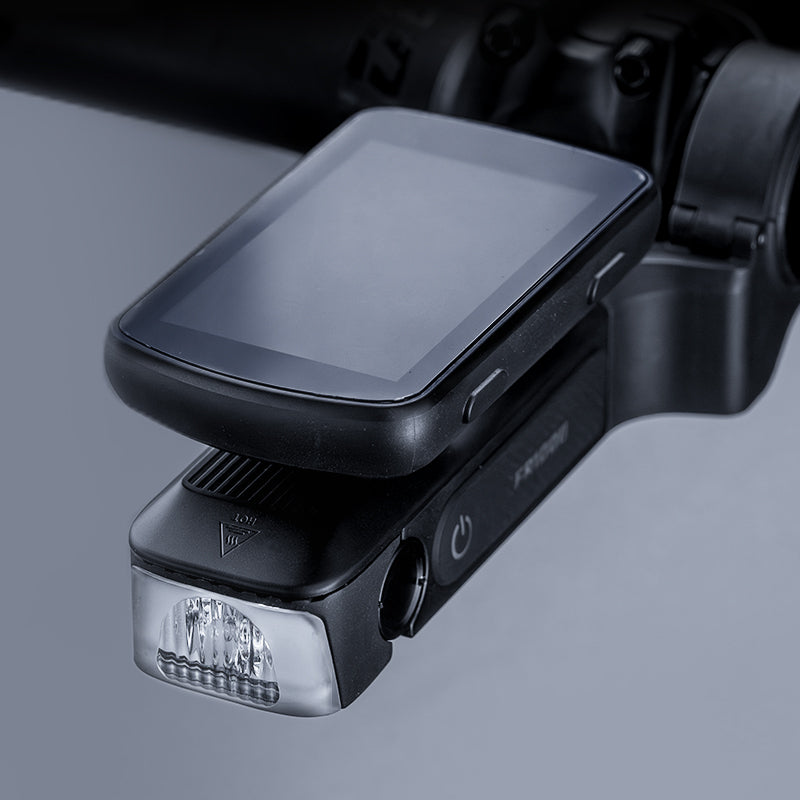
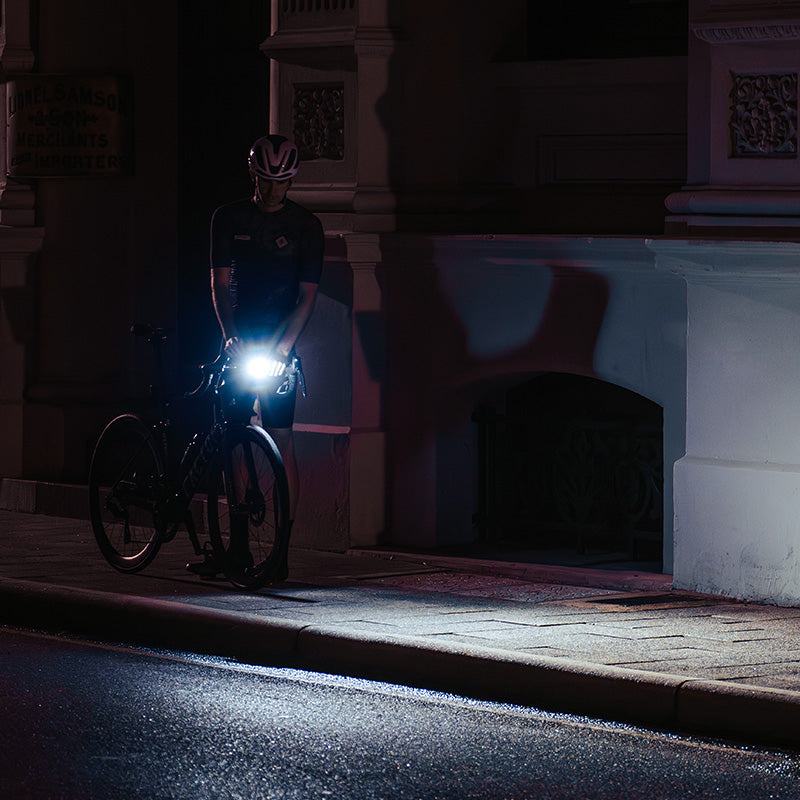
RAVEMEN FR1000 front light combines USB-C charging with an integrated bike computer mounting system. Its dual-purpose design places the light beneath a compatible cycling computer, helping keep the handlebar setup organized while providing front illumination for road riding.
The FR1000 offers up to 1,000 lumens of output and has a rechargeable 3,000mAh battery. Beyond its lighting functions, several practical features make it an interesting example of how a modern rechargeable front light can support everyday cycling needs.
Convenient USB-C Charging and Quick-Release Mounting
The FR1000 uses a USB-C charging port, providing a familiar connection for recharging the built-in battery. Its quick-release mounting design also allows riders to remove the light easily when charging or storing it, without removing the entire mounting system from the handlebar.
The integrated mount is compatible with Garmin bike computers by default, with Wahoo and Bryton adapters included. This arrangement helps riders position the light beneath their computer and make better use of available handlebar space.
Battery Indicator and Emergency Power Supply
The FR1000 is equipped with a 3,000mAh, 3.7V rechargeable lithium-polymer battery and offers up to 39 hours of runtime across its available modes. Since actual runtime varies with the selected lighting mode, riders should check the mode-specific specifications when planning longer rides.
To check the remaining battery level, press the power button while the light is switched off. This allows riders to assess the available power before setting out and decide whether the light needs recharging.
The FR1000 also supports emergency charging for compatible bike computers through its power bank function. This provides an additional power option during longer rides when a computer battery runs low. It is intended as an emergency backup rather than a replacement for regular device charging.
Motion-Based Automatic Power Control
Another practical feature is the FR1000's vibration-activated automatic power function. The light turns off after two minutes of inactivity and switches back on when vibration is detected.
This helps reduce unnecessary power consumption when the bicycle is stationary, such as during a break or while parked. It also makes everyday operation more convenient by reducing the need to switch the light on and off manually.
With USB-C charging, a built-in battery, emergency power supply, and motion-based automatic control, the FR1000 offers more than basic front illumination. Its IPX6 water-resistance rating also makes it suitable for wet-weather riding when used according to the manufacturer's instructions and with the charging interface properly protected.
For riders looking for a front light that combines illumination with practical charging and mounting features, the FR1000 provides an example of how these functions can work together in a single cycling accessory.
Choosing and Maintaining USB-C Bike Lights
USB-C makes charging more convenient, but the connector alone does not determine charging speed, cable compatibility, or battery performance. A light's internal charging system, battery capacity, and overall construction all contribute to its everyday usability.
When choosing a USB-C bike light, check the supported charging specifications rather than assuming that every USB-C charger will deliver the same result. Use reliable cables, keep the charging port clean and dry, and follow the manufacturer's battery maintenance recommendations.
Ultimately, good charging habits help you get more consistent performance from your rechargeable bike light. By paying attention to cable compatibility, port maintenance, and bike light battery care, you can keep your bicycle light ready for daily commuting, road cycling, and longer rides.





Lasă un comentariu
Toate comentariile sunt moderate înainte de a fi publicate.
Acest site este protejat de hCaptcha și hCaptcha. Se aplică Politica de confidențialitate și Condițiile de furnizare a serviciului.